
Webpage extraction
Scan the tab you are on for emails, phones and social profiles. Copy, export or save results without leaving the page.
Extract emails, phone numbers and social profiles from webpages. Scan multiple URLs, import files and organize contacts in one dashboard.
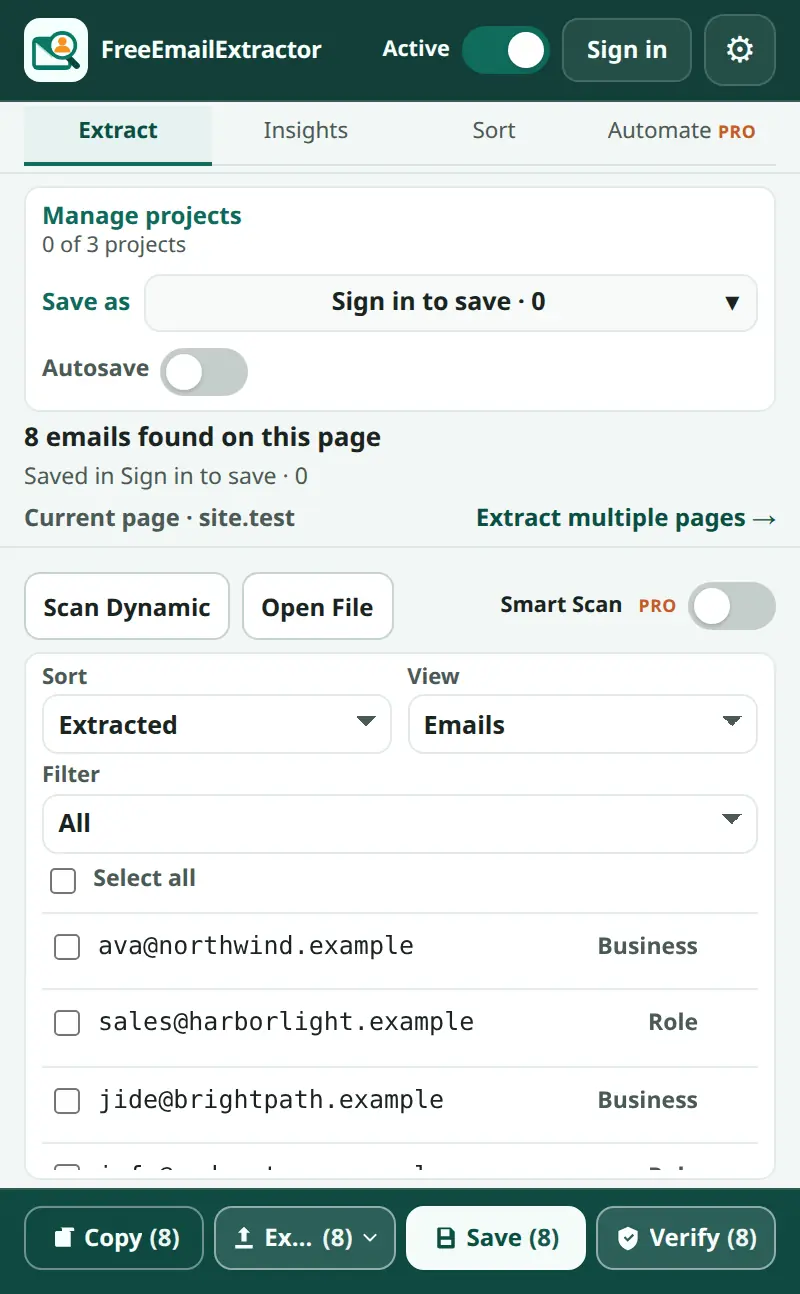
Scan the tab you are on for emails, phones and social profiles. Copy, export or save results without leaving the page.
Follow contact-page links and multi-page scans when a site spreads contact details across several URLs. Smart Scan (Pro) deepens extraction on supported pages.
Pro unlocks multi-tab and advanced extraction so you can work across several open pages in one session.
Import CSV, XLSX, TXT, HTML and related formats (JSON, XML). Results stay local until you save them to a project or your account.
Matching addresses are merged so the same contact is not counted twice as you combine pages, files and bulk runs.
Paste or import a URL list and extract in one job. Pro allows up to 2,500 URLs per bulk job.
Organize saved contacts into projects, filter the list and export from the panel or the dashboard.
Pro Autosave has no monthly address quota. Save as you extract without a per-month allowance. Verification credits stay separate.
Sign in once. Email Extractor contacts sit beside Maps businesses in the same dashboard, with the same login and billing account.
See which mail provider sits behind a domain before you spend a credit. Useful for sorting lists and prioritizing outreach. Provider intelligence is domain context, not inbox verification.
Verification is a separate, pay-as-you-go credit product. Extraction finds addresses; verification checks them when you choose to spend credits. An active Pro plan (Maps or Email Extractor) gives 10% off credit packs, applied once.
Learn how email verification works
Verification credit pricesEmail Extractor Free / Pro is a separate subscription from Maps Pro — pick one, or both. The free tools and articles remain on FreeEmailExtractor.net; the extension keeps its own name and logo.
Install from the Chrome Web Store, then open any page or import a file. Upgrade when you need Autosave, bulk URL jobs and deeper scans.