Start · Pause · Resume · Stop
Capture runs only while Start is active. Scroll the results yourself on any plan; with Auto-scroll on, the feed advances for you. Pause holds your place; Stop ends the run and keeps everything captured.
Run a Google Maps search, press Start, and every business you scroll past is captured. Turn on optional Auto-scroll results (Maps Pro) and the panel advances the feed for you until Google reaches the end of the list — so you know a run is complete.
Independent product. Not affiliated with or endorsed by Google. It works on the page you are already viewing, the way you would.
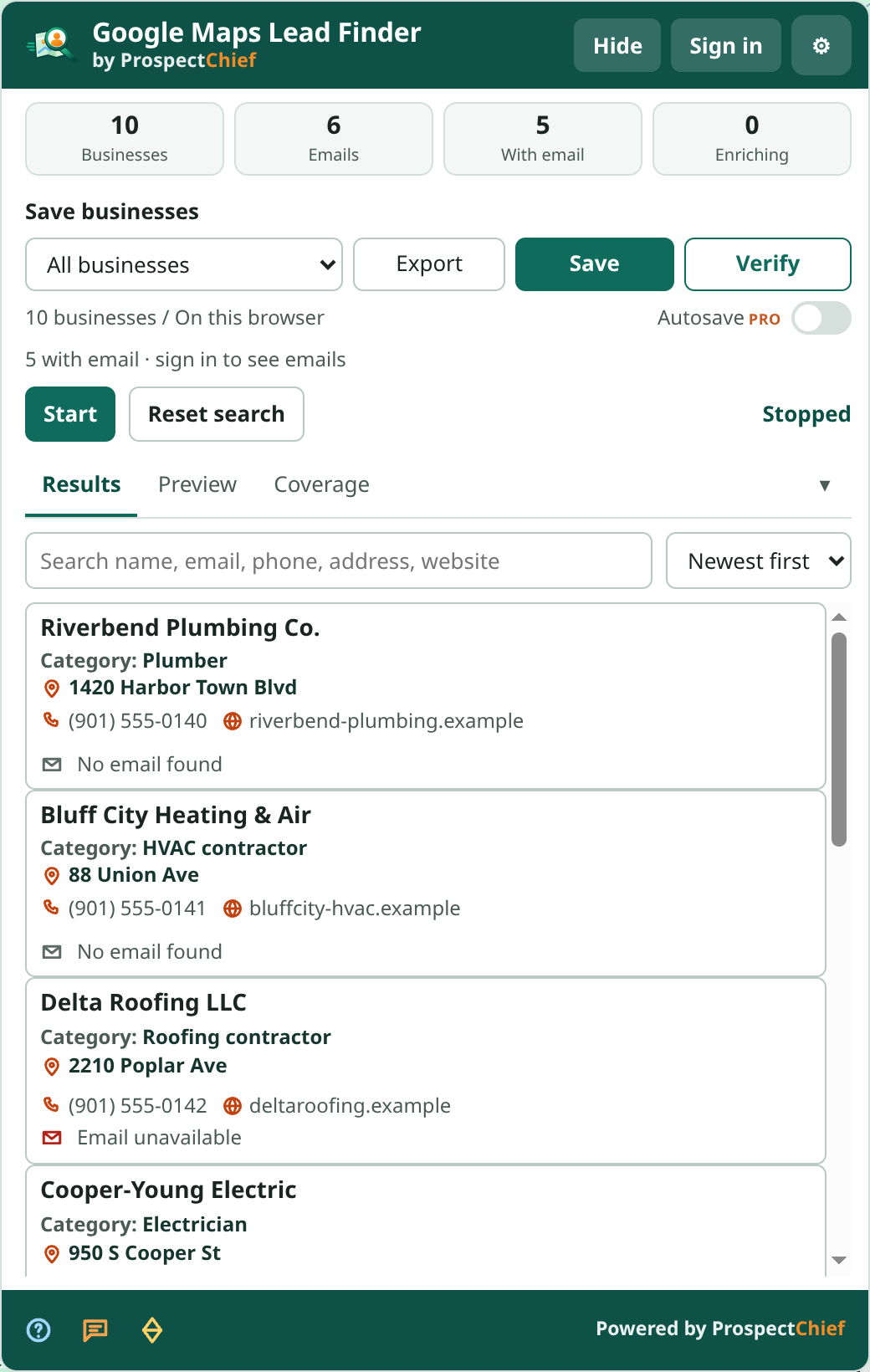
Capture runs only while Start is active. Scroll the results yourself on any plan; with Auto-scroll on, the feed advances for you. Pause holds your place; Stop ends the run and keeps everything captured.
With Auto-scroll on, the run completes only when Google's own end-of-list marker appears or the feed has stayed idle at the bottom through several bounded retries, within a hard scroll and time ceiling. You always know when a run is truly complete.
Reset clears the current search only. Saved businesses and projects are never deleted; unsaved results are archived to All businesses on this browser, and a confirmation appears first.
Capturing, waiting for more results, paused, end of results, stopped, interrupted, limit reached, error — the panel always tells you what is happening.
Identity comes from Google's listing identifiers, never from the name, phone or domain, so two branches with one website stay separate.
Save to All businesses or a project, export CSV/XLSX with the same columns as the Bing edition, and filter by Source in the dashboard.
Included means every Google listing provides it. When listed means Google shows it only for some listings, so it is captured when present. Via website enrichment means ProspectChief finds it on the business website after collection.
| Information | Availability | Notes |
|---|---|---|
| Business name, category | Included | From the result card |
| Google Maps URL, Place ID, CID | Included | Read from the listing link; CID is preferred for stable identity and both appear in exports |
| Review URL | Included | Built from the Place ID so you can open the reviews directly |
| Address, phone | When listed | Captured when Google shows them on the result card; some cards omit the phone |
| Opening status / hours line | When listed | The “Open · Closes 6 pm” style line as shown on the card, not a full weekly schedule |
| Website | When listed | The Website action on the card, when present |
| Rating, review count | When listed | From the card’s rating element; listings without reviews have none |
| Latitude / longitude | When listed | From the listing link when present |
| Knowledge Graph ID | When listed | Stored with the business record when the listing link carries it; not an export column yet |
| Photo / image URL | When listed | Card thumbnail when present |
| Emails, phones, social profiles | Via website enrichment | Discovered on the business website after collection; available contact information varies by website |
Available information varies by business listing and website. ProspectChief collects publicly accessible business details and enriches contact information when available.
Google and Bing exports share one schema. Fields a platform does not publish — plus code on a Google row, for example — stay empty so your spreadsheets line up cleanly across editions.
Every claimed status carries the platform, the method, a confidence tier and a timestamp. Only strong signals (a listing claim badge or prompt, an owner response, or a platform API) can set Claimed or Unclaimed. An “Own this business?” link is ambiguous, so it is recorded as evidence but the status stays Unknown. A definite status is never downgraded by a later Unknown, and a Bing observation never overwrites a Google one.
Exports always show the evidence beside the status, so your team can see why a listing carries the status it does. See the FAQ below for how the Google edition reports claimed status today.
A versioned ZIP with a published SHA-256 checksum, from this site only.
Unzip, open chrome://extensions, enable Developer mode, choose the folder.
You update manual packages yourself: replace the folder contents and press Reload; local data stays.
No. It uses the same Maps Free / Maps Pro entitlement as the Bing edition. One subscription covers both.
The Google edition is distributed as a manually installed package and is released only after our platform-policy and security review. Availability is always stated on the download page.
In the current release the Google edition reports Unknown for every listing, because no confirmed Google claim signal is read yet. The evidence model is in place for when confirmed signals are observed; ambiguous cues never mark a listing Unclaimed.
No. It observes the Google Maps page you are viewing and scrolls the results feed at a measured pace while Start is active. It does not call private endpoints, defeat rate limits or evade detection.
The panel shows a clear state (for example “Waiting for more results” or “Interrupted”) with a Retry action, and a run is only marked complete when the results really have ended.